Run neural network with NPU
The XpressReal T3 is equipped with an NPU that delivers 1.6 TOPS of computing performance, which can be used to accelerate neural network models.
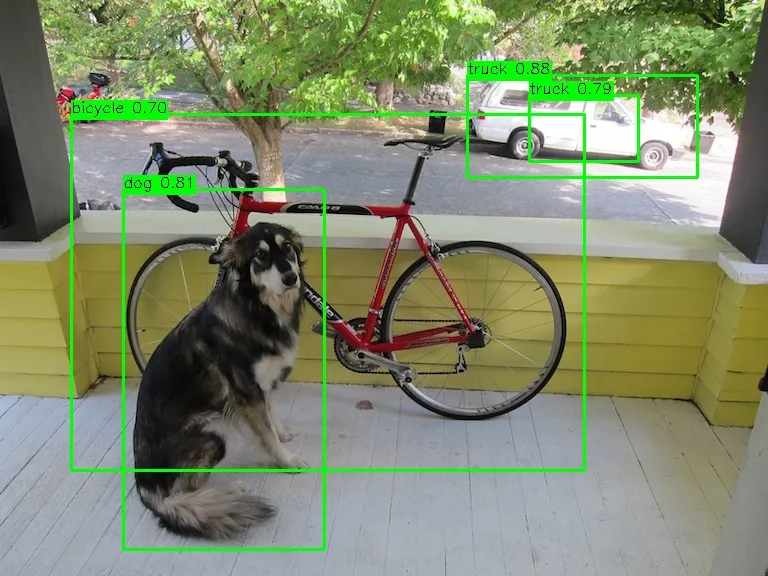
The following steps provide an example of running the Yolov4 Tiny model with the NPU on the Armbian system.
First, you need to confirm that the Armbian system you are using has loaded the kernel driver module for the NPU:
lsmod | grep galcoreThen, use the following command to download the npu‑sdk to your device, compile and run it.
# install prerequisitessudo apt install -y build-essential libopencv-dev
git clone https://github.com/XpressReal/npu-sdk.gitcd npu-sdk/yolov4tiny/make -f makefile.linux# change NPU device node permission for user accesssudo chmod 0666 /dev/galcore# Run the sample against the provided dog imageexport LD_LIBRARY_PATH=../acuity-root-dir/lib/arm64/1619b./bin_r/yolov4tinyuint8 ./model/yolov4tiny.nb ./input/dog.jpg
After running the Yolov4 Tiny model, a file named yolov4_tiny_result.jpg will be generated, in which the detected objects will be marked.